 Help Center
Understanding Analytics
Every number on the Analytics page, what it's made of, and the filters that change it.
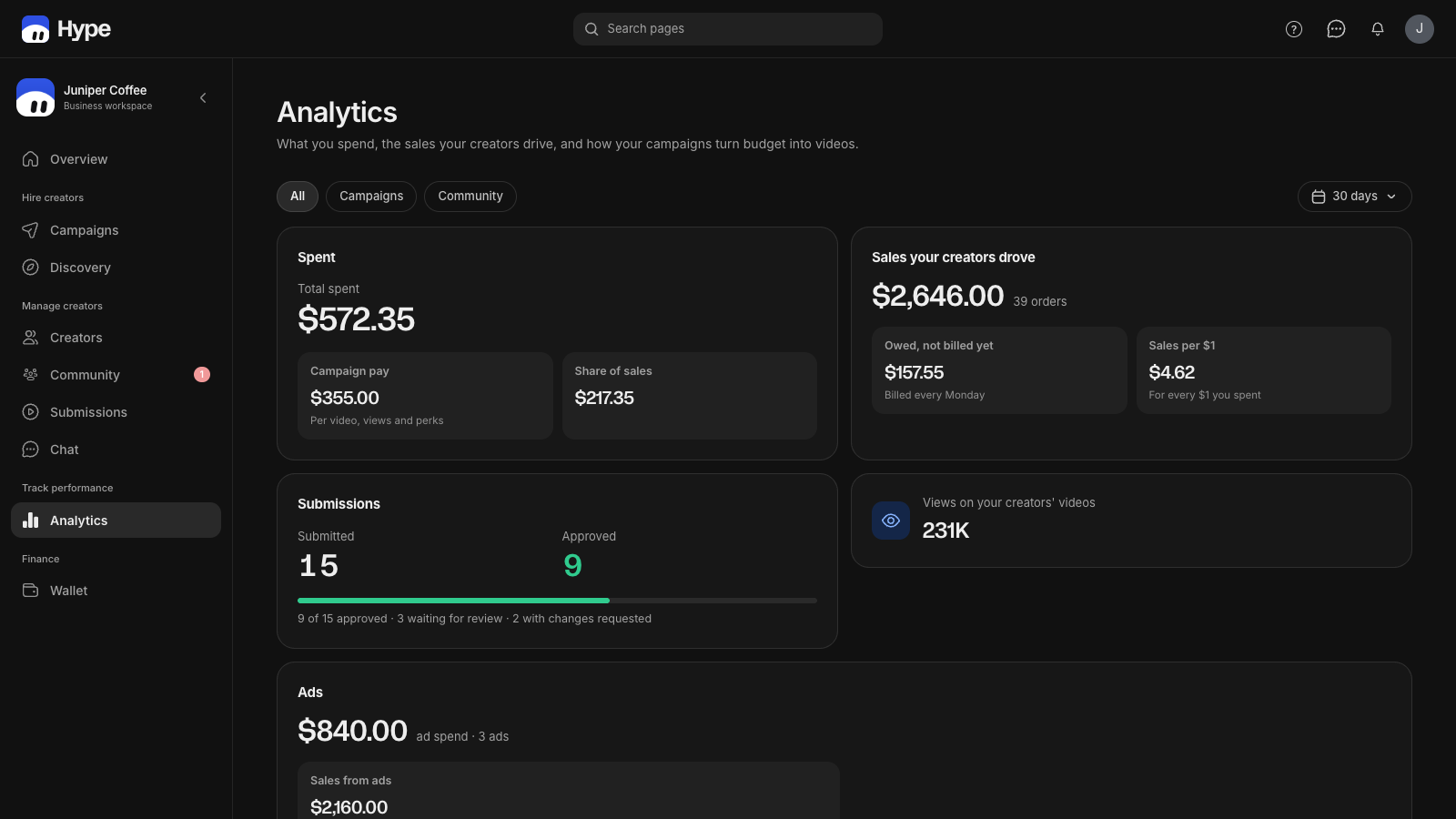
Filters
- Range: 7, 30, 90 days or all time.
- All / Campaigns / Community: which program the numbers come from.
- Creators and Products: one creator, or sales of one product (needs a connected Shopify store).
- Attribution: Hype's own, or the ad platform's. See the attribution guide.
- Export: the video table as CSV.
Snapshot
- Ad sales: orders that came through your ads.
- Purchases: all orders credited to creators.
- Creator earnings: their share of sales plus campaign pay released in the range.
- Active submissions: videos sent in the range, not counting rejected ones.
- Sales per submission: creator sales divided by those videos.
Ad metrics
- AOV: creator sales ÷ orders.
- CPA: ad spend ÷ purchases from ads.
- CPC (all) and CPC (link): ad spend ÷ every click, and ÷ clicks that went to your store.
- CPM: ad spend per thousand impressions.
- Ad purchase value and ROAS: the value of orders through ads, and that value ÷ spend.
- Spend: what your ad accounts spent on ads built in Hype.
Trends by creator
Sales, orders or creator earnings by day, one line per creator, for the top 3, 6 or 10. Click a name in the legend to hide it.
Video performance
One row per video: views, ad spend, purchases, sales, ROAS, what the creator earned, and more under Columns. Sales on a video are the orders that came through its ads; a creator's code and link sales count for the creator, in Trends and By creator. Switch to Grid for cards.
Spent, Sales and By creator
Below the table: what you spent (campaign pay vs share of sales), what your creators sold, what's owed but not billed yet, submissions, views, and a per-creator list with paid and owed amounts.
Need help?
Click the ? at the top of your dashboard, or email hello@hyperattention.ai. A person replies within one business day.